Open your numbers
Hit any target number three times to open it. A single counts as one mark, a double as two, and a triple as three — so one triple opens a number in a single dart.
Cricket darts practice app
Play against adjustable AI opponents, keep scoring simple, and track your MPR, history, and progress in one place.


Cricket Trainer is available on iPhone and Android for darts players who want to practice darts alone, use a Cricket darts scoreboard for live games, and track their performance with adjustable AI competition.
The darts game
Cricket is the most popular darts game in the United States. It is played on a standard dartboard using only the numbers 15, 16, 17, 18, 19, 20, and the bullseye.
Hit any target number three times to open it. A single counts as one mark, a double as two, and a triple as three — so one triple opens a number in a single dart.
Once you open a number, each additional hit scores points equal to its value — until your opponent closes it with three marks of their own. Higher numbers score faster, so most players start with 20.
Close all seven targets and have more points than your opponent. If you close everything first but trail on points, keep scoring until you are ahead.
New to Cricket darts? Start with an easy bot in Cricket Trainer to learn the scoring, then work your way up as your game improves.
What it is
Cricket Trainer is designed for darts players who already know the game and want a fast way to practice solo or score matches cleanly.
Train when you do not have an opponent. Set up a match in seconds and start throwing.
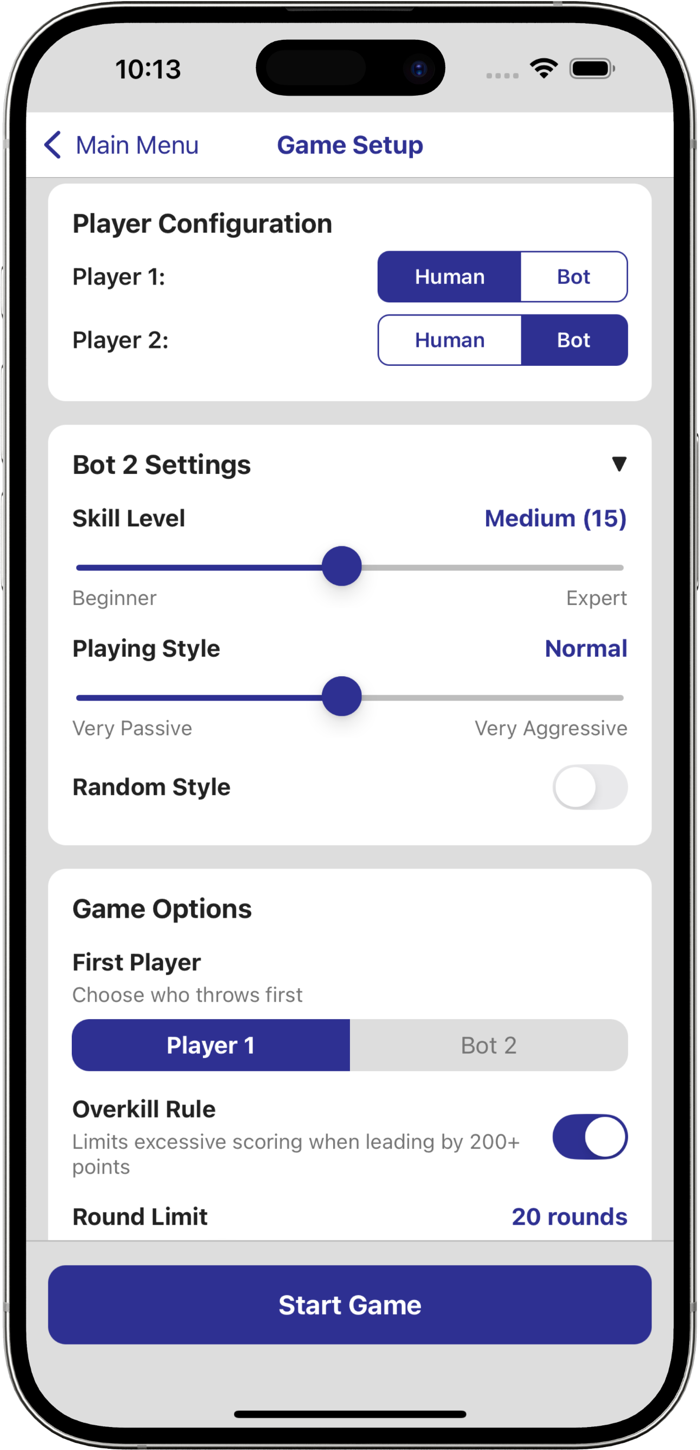
Play against bots with 20 difficulty levels and 20 granular playing style settings, from passive to aggressive.
Track MPR, recent games, win rate, and favorite numbers to see how your Cricket game is progressing.
How to use it
Start a human vs human, human vs bot, or bot vs bot game and set the options you want.
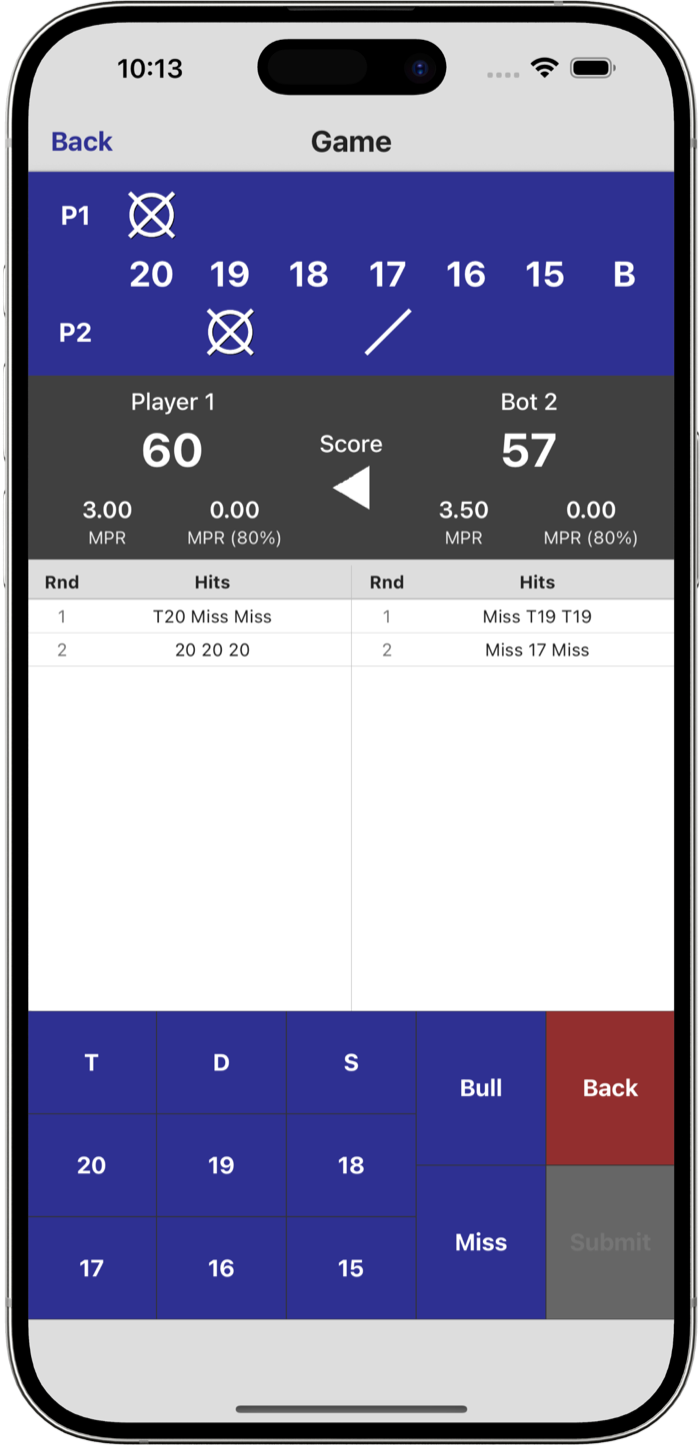
Keep score with a simple mobile scoreboard and use the app as your Cricket darts scoreboard and practice partner.
Check MPR, recent match results, and long-term trends after each session.
Who it helps
Start a practice game quickly without paper scoring or extra setup.
Use overkill and round-limit settings to match the way you play.
Change opponent strength and style to keep your sessions useful.
Review recent results and spot patterns in the numbers you hit well.
Just picked up the game? Use Cricket Trainer to practice the rules and scoring at your own pace against a gentle AI opponent.
Sharpen your Cricket darts strategy between matches. Practice opening and closing tactics against tougher AI levels to improve your MPR and win rate.
No second player available? Practice darts alone with a full human vs bot match any time, no opponent needed.
Use Cricket Trainer as a Cricket darts scoreboard for live games with friends — fast setup, clean layout, no paper required.
FAQ
Cricket is a darts game played on numbers 15 through 20 and the bullseye. Players take turns throwing three darts and try to score three marks on each number to open it. Once a number is open, hitting it scores points equal to its value until your opponent closes it with three marks of their own. The player who closes all numbers and has the higher score wins.
Each dart that hits a target number counts as one mark. A double counts as two marks and a triple counts as three. Once you have three marks on a number it is open and additional hits score points — for example, a triple 20 on an open 20 scores 60 points. The Cricket darts scoreboard tracks marks and points for both players.
Yes. Cricket Trainer is built for solo darts practice. Set up a human vs bot match and play against one of 20 AI difficulty levels any time, with no opponent needed.
MPR stands for marks per round — the average number of marks you score each three-dart turn. A higher MPR means more consistent accuracy on target numbers. Cricket Trainer tracks your MPR across every game so you can see real improvement over time.
Overkill is a rule variation where points scored on an open number can exceed the opponent's total, creating a point deficit the opponent must overcome. Cricket Trainer supports overkill as an optional setting you can toggle on or off before each match.
This is Cricket the darts game, not the bat-and-ball sport. Cricket Trainer is for darts players practicing on a dartboard.
Ready to play?
No opponent needed. Practice Cricket darts alone, challenge smarter bots, and keep your progress moving.